City selection
Choose your next city to smash
The developer advertises 11 maps, including city skylines, a bridge, a power plant and a base on the Moon.
Locations in the official description
The developer advertises 11 maps and names the locations below. Some are proper names and others are descriptions of environments; this table preserves that distinction rather than assigning new menu names.
| Wording in the description | Reference |
|---|---|
| Downtown | Named city map |
| Night City | Named city map |
| Tokyo | Named city map |
| Pyramids of Giza | Named location |
| Suspension bridge | Described environment |
| Power plant | Described environment |
| Football stadium | Described environment |
| Base on the Moon | Described environment |
Read the labels and requirements in your game when choosing an available map. Use the table to recognize a creator-mentioned setting, not to infer an unlock order.
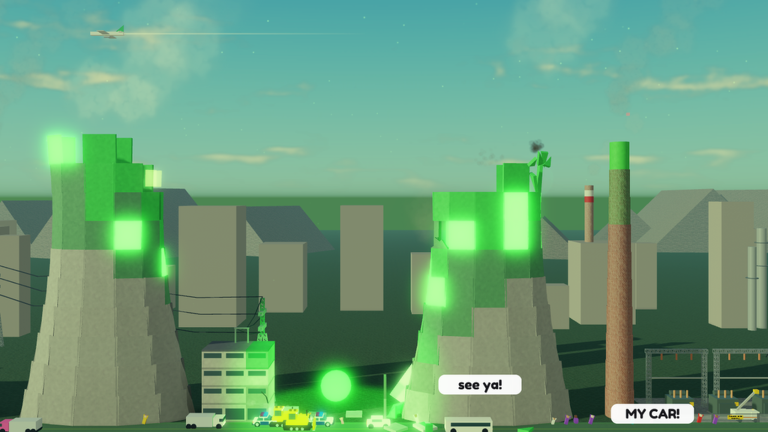
The reactor feature
The official description highlights a breakable reactor and radiation affecting the city. That makes the reactor a creator-described feature to look for when exploring.
Our suggestion is to observe that feature separately from a weapon comparison. First note the destruction progress and Coin balance. After triggering a visible change, note how the scene and your readings change. This gives you a record of the session without confusing the environmental effect with the equipment you were testing.
Pick a map for a repeatable practice session
For learning a weapon, our recommendation is a map where you can see both your target and the result clearly. Use landmarks to keep track of which structures you have already attacked. Try to make the second practice run comparable to the first.
Keep a short session note: map label, weapon, settings, starting destruction progress, minutes played and net Coins. Record whether you were playing with friends. These conditions help explain why the same equipment may perform differently in another session.
If you are comparing maps for earning Coins, keep the weapon and time window steady. If you are comparing weapons, keep the map steady. Changing both at once turns the result into a comparison of entire sessions rather than a measurement of one choice.
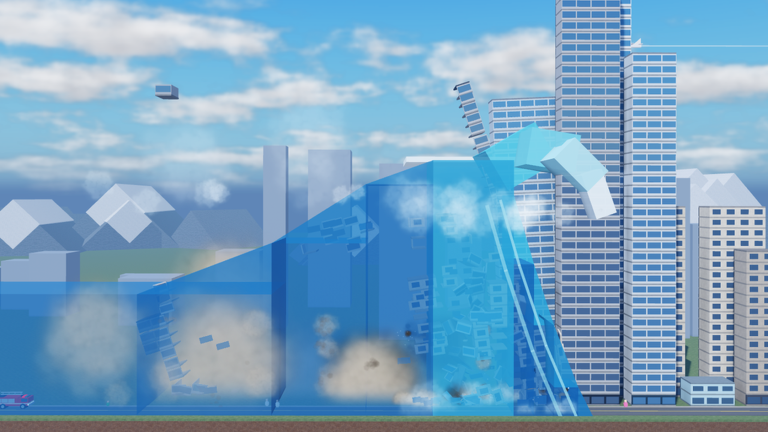
Save for the map you want
The creator describes unlocking new maps as you progress. Check your game’s displayed access requirements and price, then choose whether exploring a new location is your next goal.
Use the Coin planner if the requirement is a Coin price. Enter your displayed balance and a rate from your own timed run. If your goal is to try another effect first, compare that weapon’s cost with the map cost before spending.
After unlocking a location, start a new set of measurements. A rate from one map does not automatically predict the result on another. The run comparison tool can help you compare your recorded sessions.
Official source
Game identity, creator-listed features and code checked October 11, 2026. View Smash the City on Roblox or visit Kabooom Crew.
Questions, answered
Which maps are named in the official description?
The creator names Downtown, Night City, a suspension bridge, a power plant, a football stadium, Tokyo, the pyramids of Giza and a base on the Moon.
What does the creator say about the reactor?
The official description says the reactor can be broken and radiation can affect the city.
How can I compare two maps for Coins?
Use the same weapon and settings, measure your net Coin gain over similar time windows and compare the rates. Record the starting destruction progress and other players’ activity.